Features
Restaurant management features
Ordering, the kitchen board, billing, reports, expenses, staff access and the menu. Each feature has a short video of the real app.
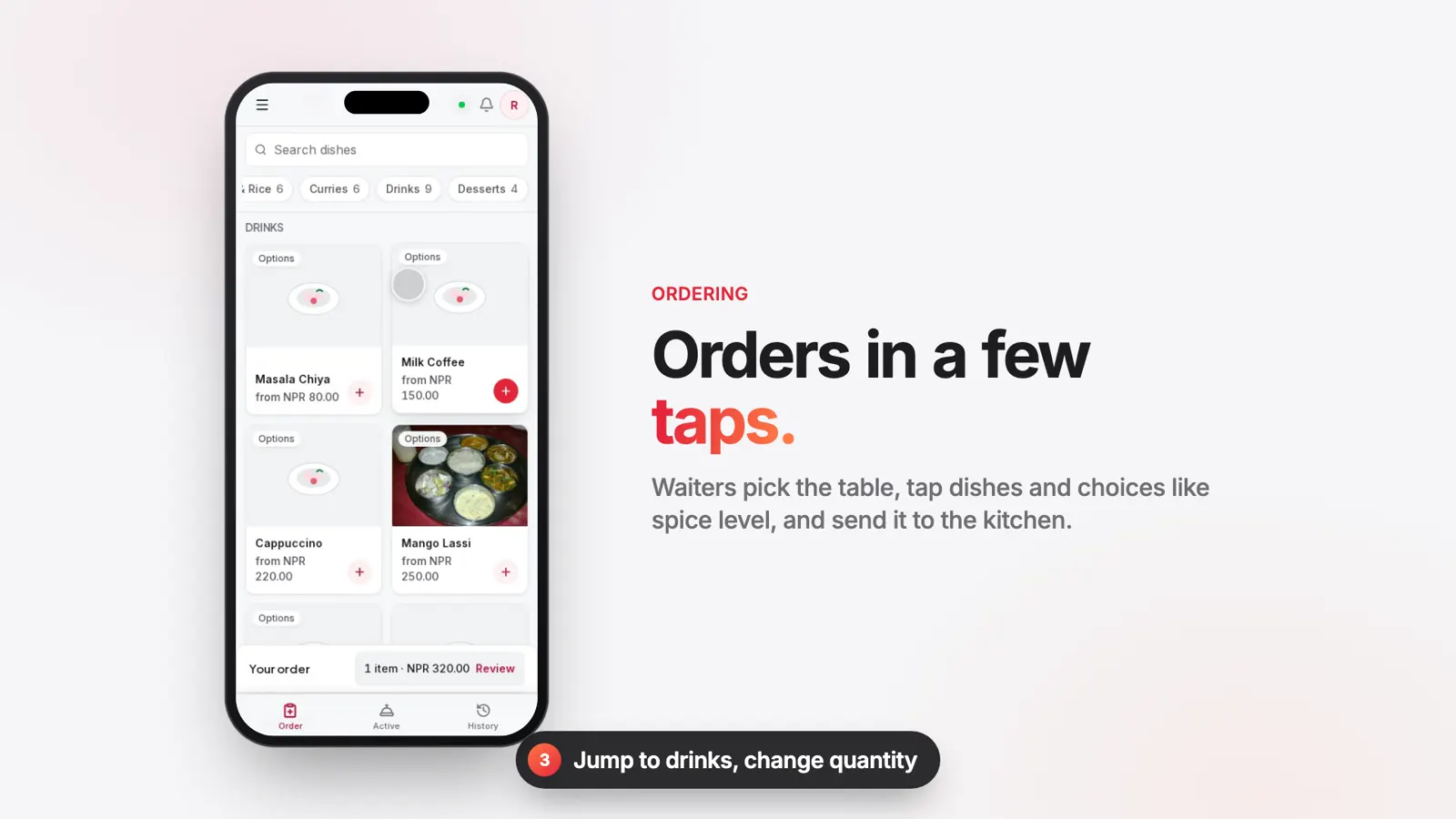 Ordering
Table ordering on the waiter's phone
Waiters take table orders on their phone, with spice levels, add-ons and notes, and send them straight to the kitchen.
See how it works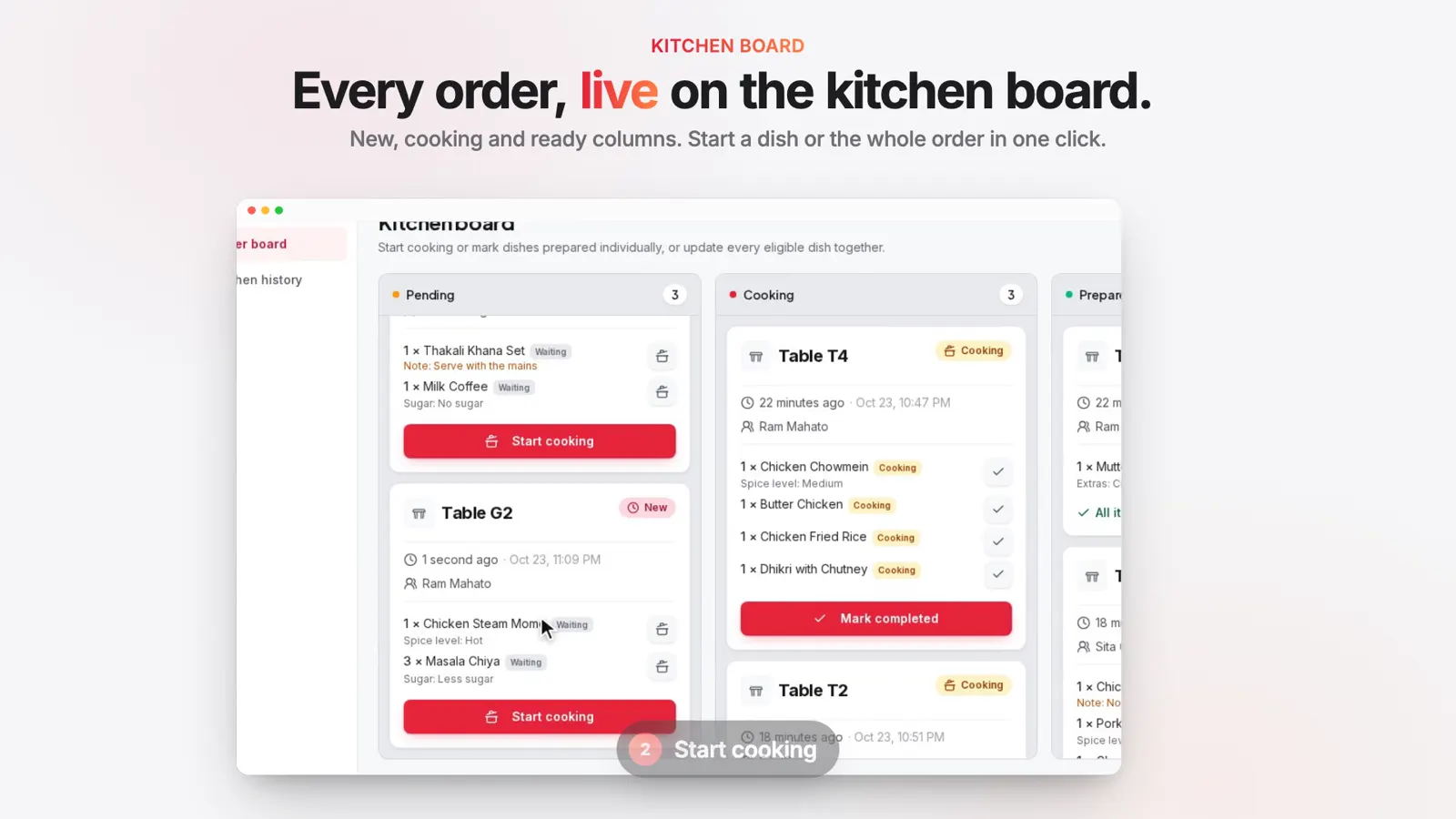 Kitchen board
Kitchen order board instead of paper KOTs
A live kitchen board instead of paper tickets. Cooks start and finish each dish, and the waiter is told when food is ready.
See how it works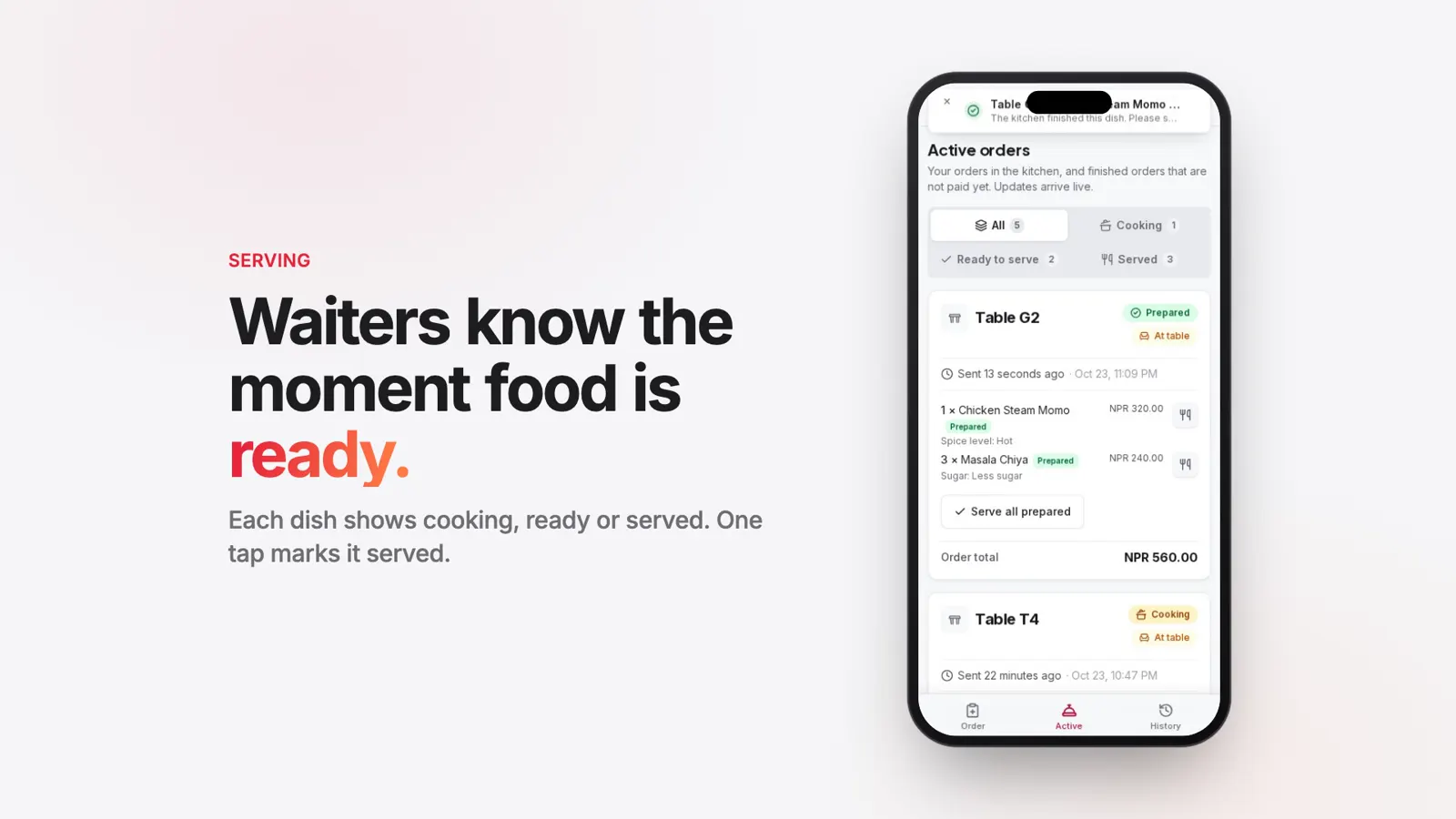 Serving
Dish status and ready alerts
Every dish shows cooking, ready or served, and a live alert reaches the waiter's phone the moment food is ready.
See how it works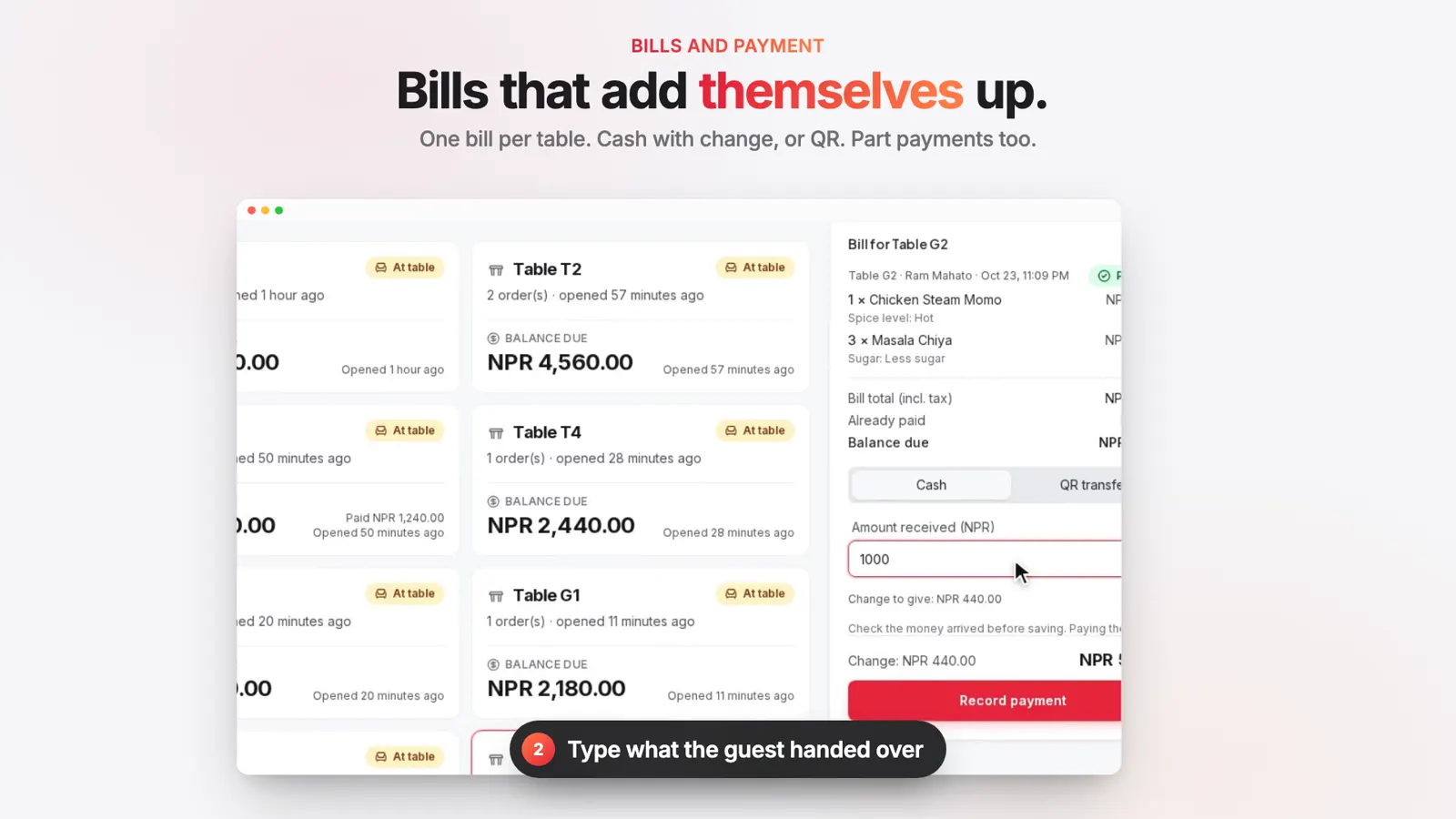 Bills and payment
Table billing with cash and QR payments
One bill per table visit. Take cash with the change worked out, or a QR transfer, and keep part payments on the bill.
See how it works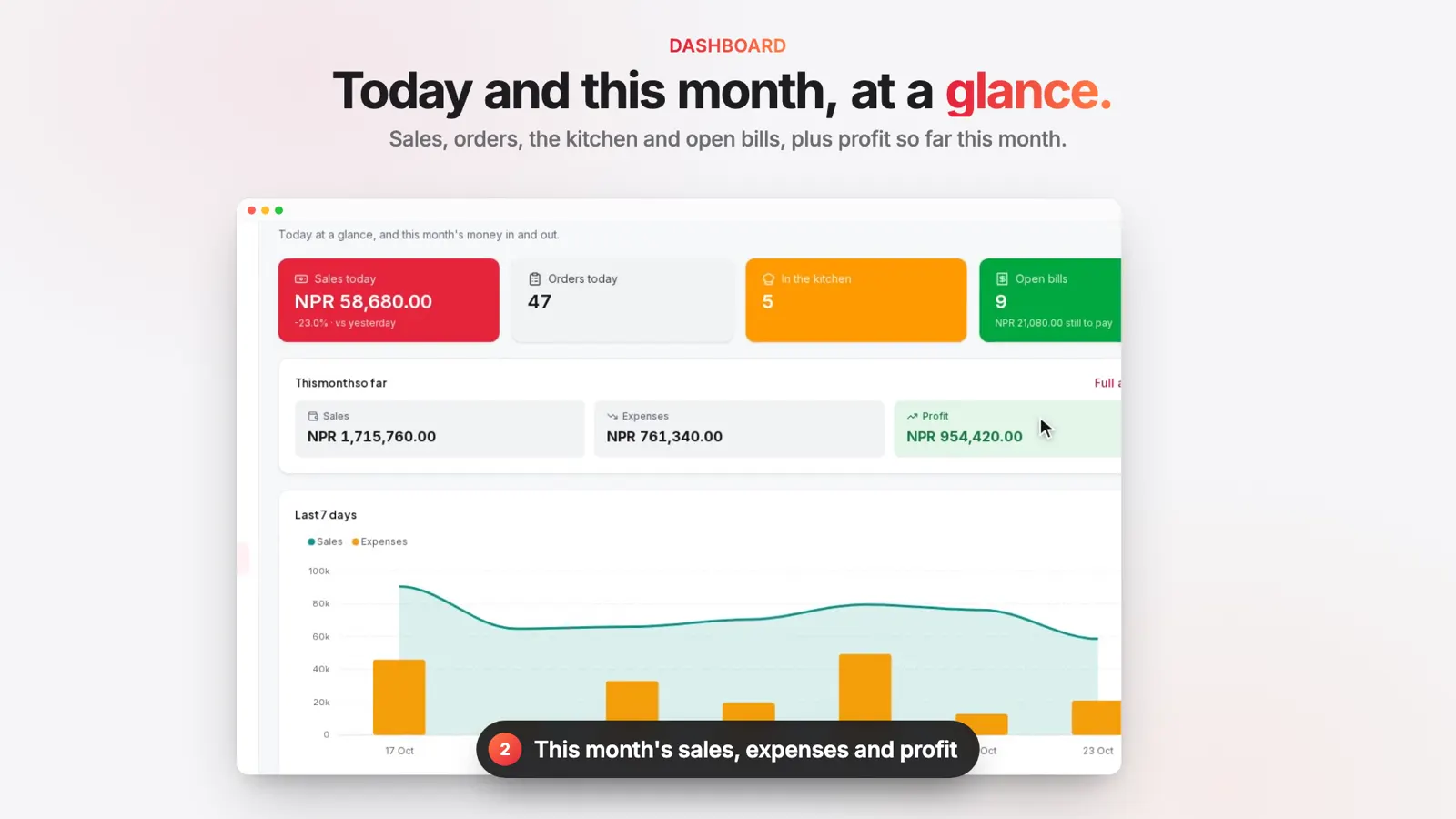 Dashboard
Daily sales dashboard
Today's sales against yesterday, orders, dishes in the kitchen and open bills, plus this month's sales, expenses and profit.
See how it works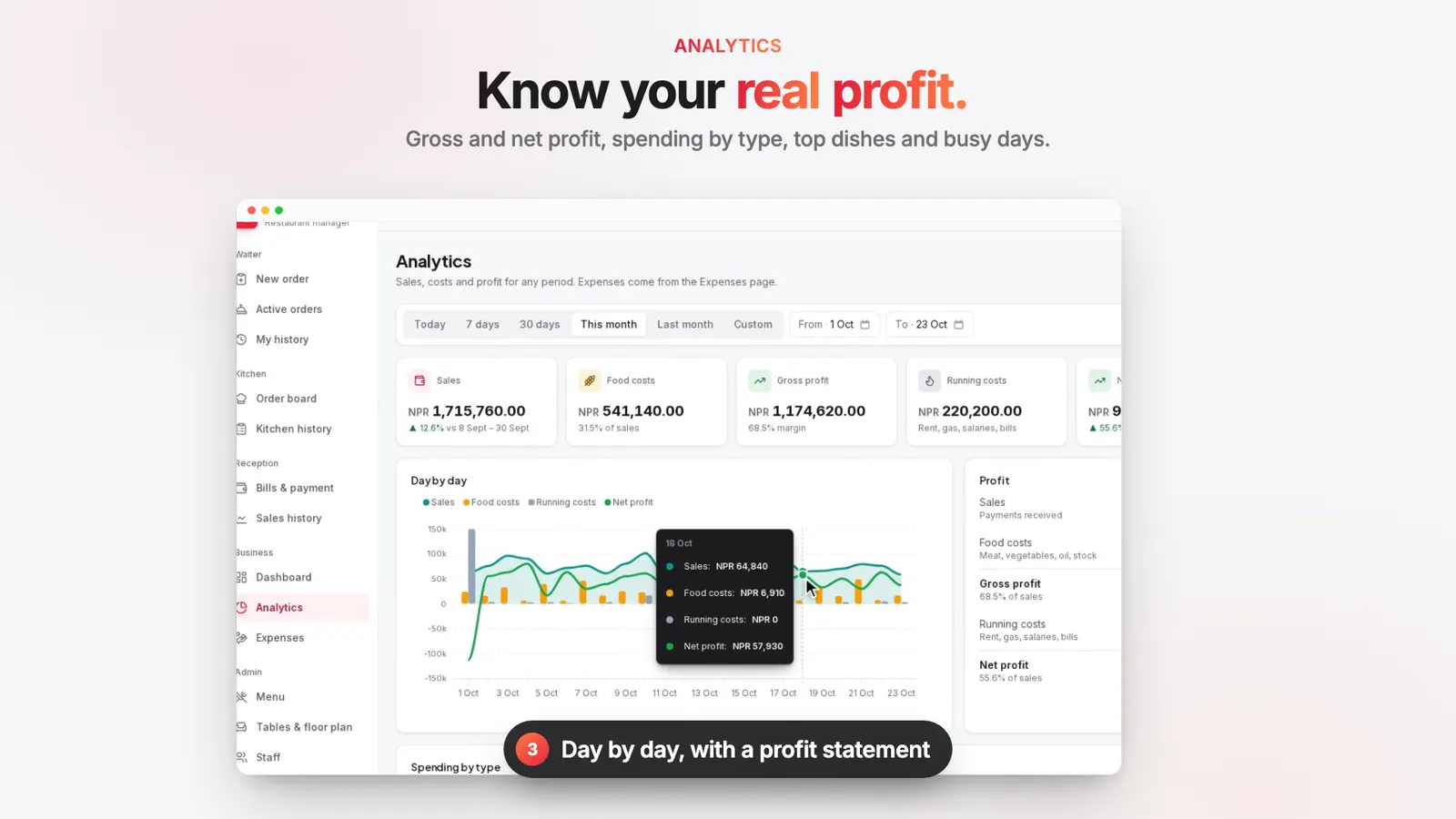 Analytics
Profit and sales reports
Sales, food costs, gross profit, running costs and net profit for any period, compared with the period before.
See how it works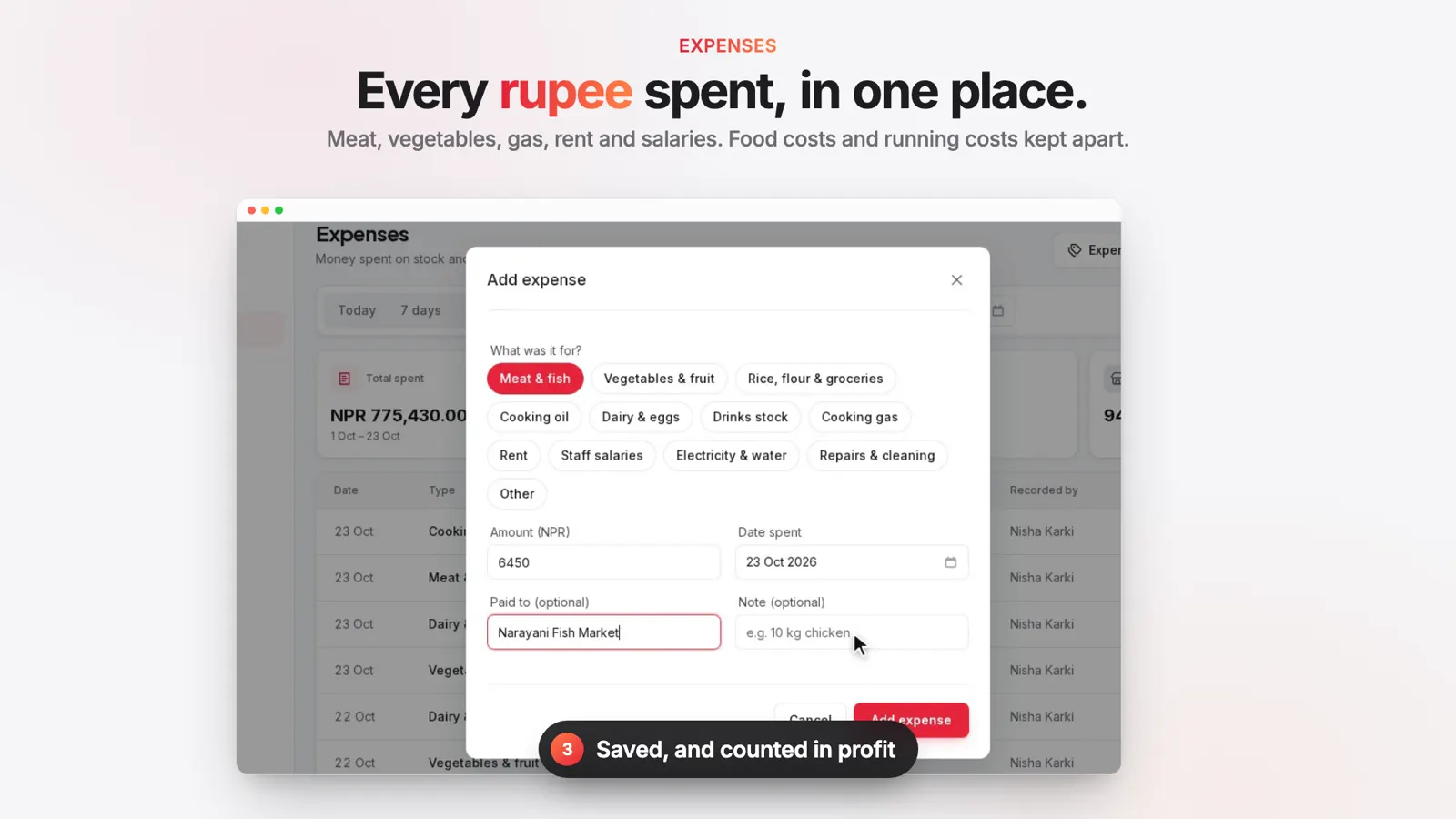 Expenses
Expense tracking for food and running costs
Record meat, vegetables, gas, rent and salaries as they happen. Food costs and running costs are kept apart for a true profit.
See how it works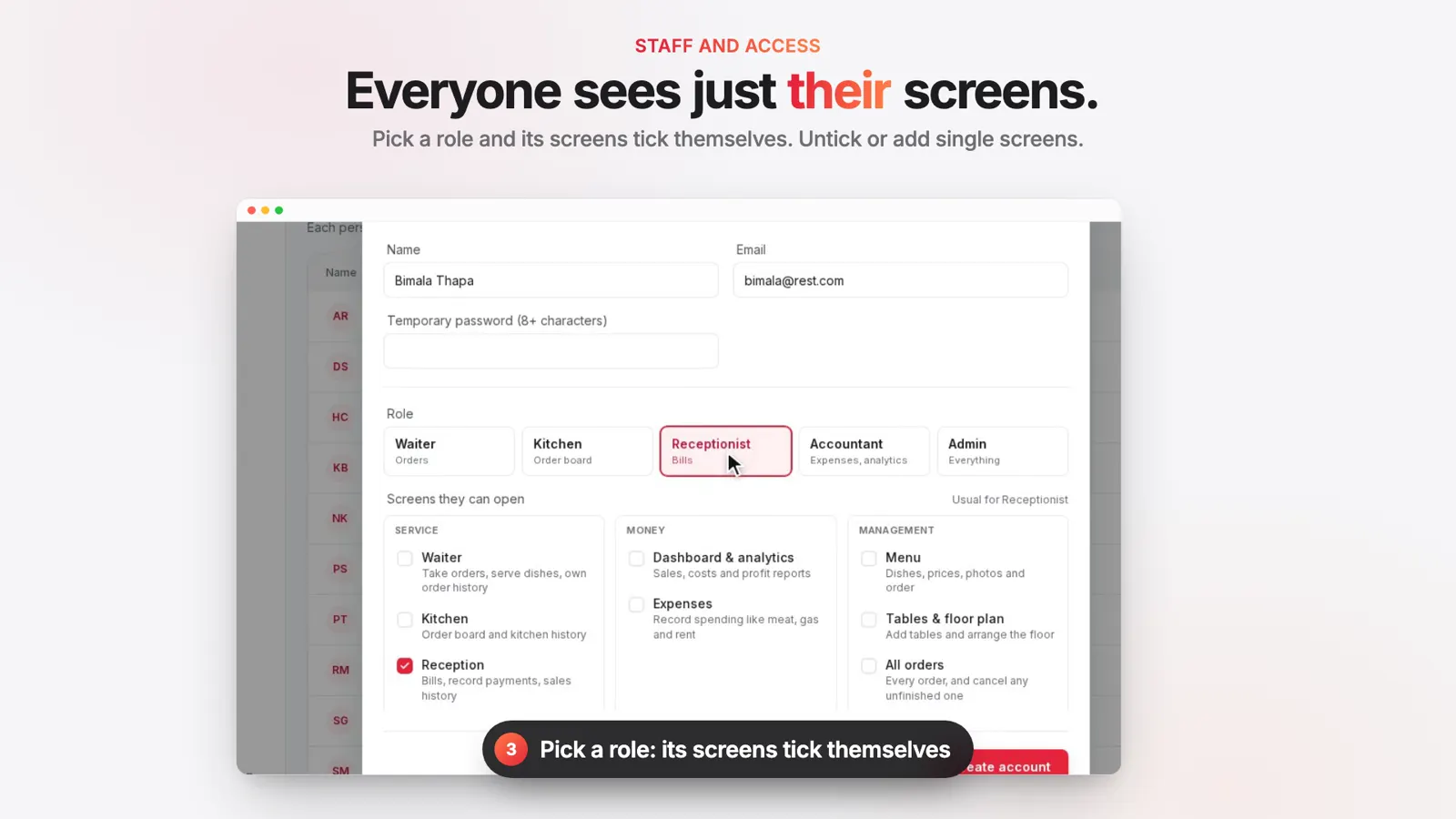 Staff and access
Staff roles and screen access
Each person gets their own sign in. Waiter, Kitchen, Receptionist, Accountant and Admin, or tick single screens.
See how it works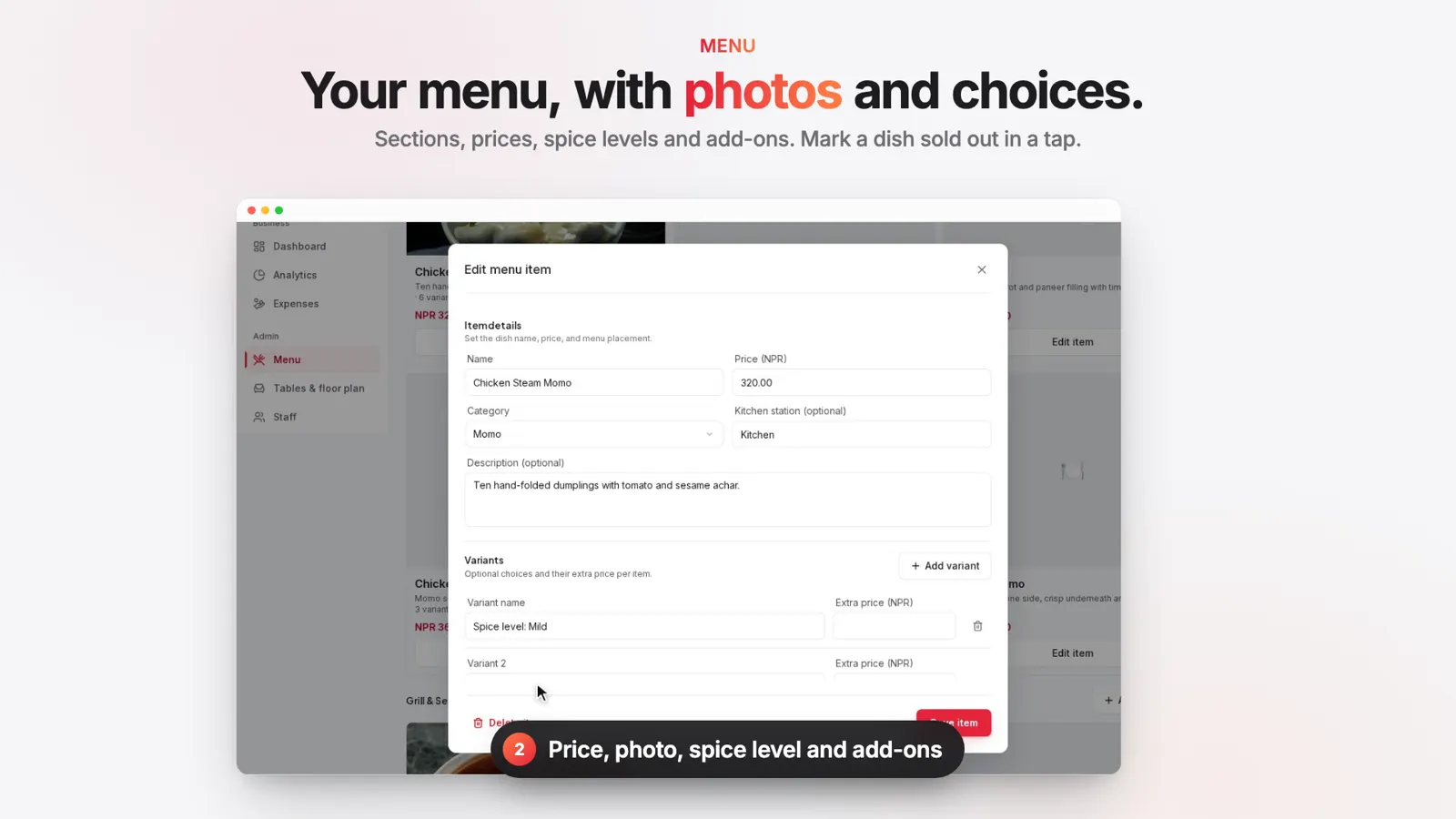 Menu
MenuMenu management with photos and add-ons
Sections, dishes, prices, photos, spice levels and add-ons. Mark a dish sold out and drag to set the order waiters see.
See how it works
More features
Your floor plan
Drag tables into the real layout of your dining room, garden or rooftop.
Every order, in one list
Search past orders and cancel one that hasn't been cooked yet.
Sales history
Every payment by cash or QR, with the name of whoever took it.
Who changed what
Payments, price changes, staff and settings, each with a name and a time.
Your tax, currency and QR
Set them once in settings and every bill uses them.
Book a demo of Tablewise
Message us on WhatsApp with your restaurant's name and a time that suits you. We will walk you through ordering, the kitchen board, billing and reports, and answer your questions.
- A live walkthrough
- Your questions answered
WhatsApp: +977 984-4995796